 Hudoori
Mobile vs Fingerprint Attendance: A Practical Comparison
A clear comparison of fingerprint attendance devices and mobile attendance on cost, maintenance, branches, cheating, hygiene, and employee experience. Choose what fits your business, not what you are used to.
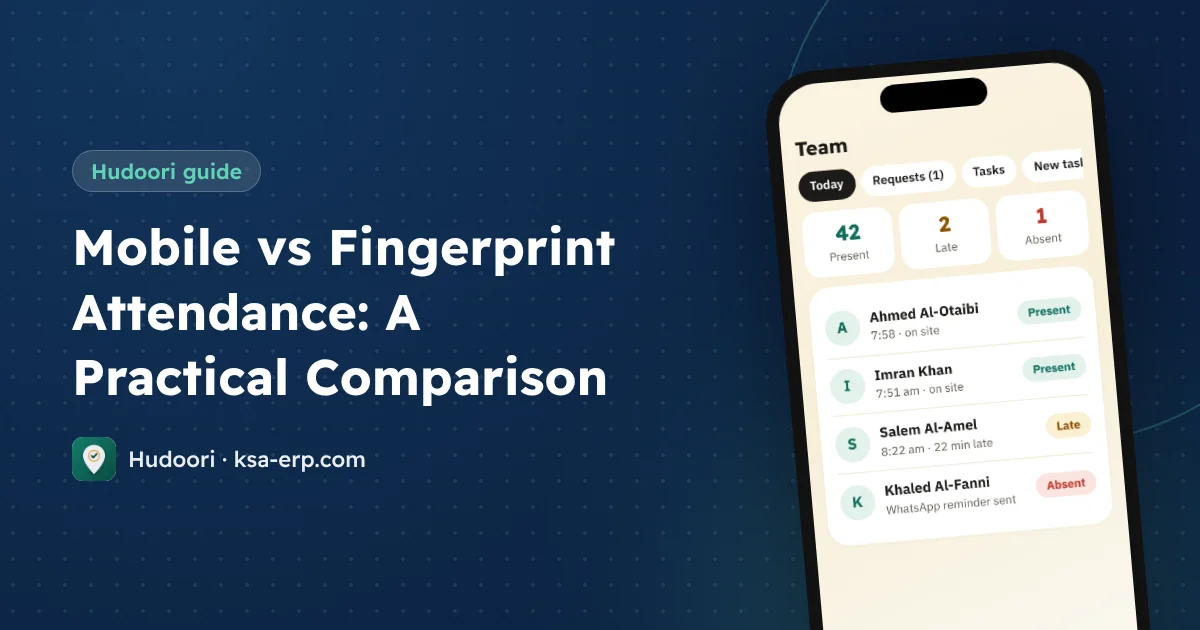
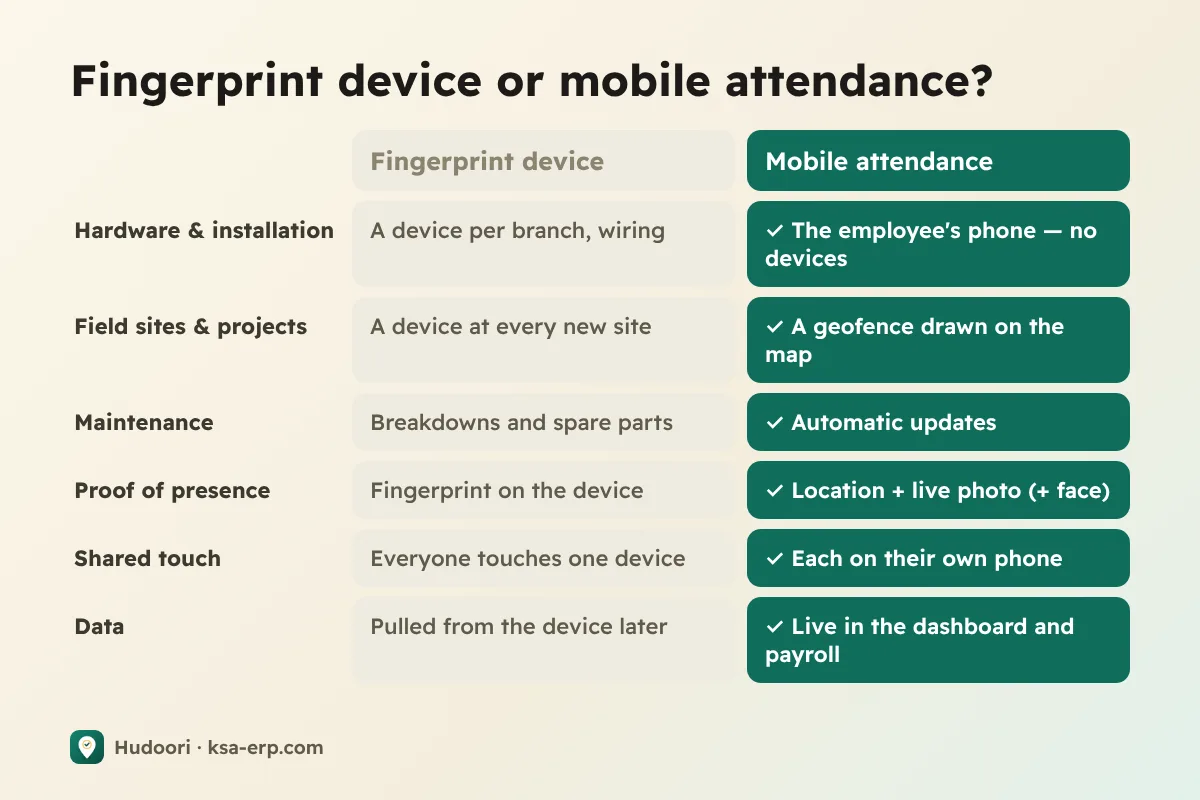
If your business is one office with one entrance, a fingerprint device may be enough. If you have several branches, project sites, or field staff, mobile attendance is usually cheaper and easier to manage, provided it is protected by geofencing and live selfies. Here is a point-by-point comparison.
How each option works
A fingerprint device is mounted at the entrance, reads a finger or face, and syncs to software over the network or by manual download.
Mobile attendance is an app on the employee's phone that accepts check-in only inside the site's geofence, with a live camera selfie, and sends data straight to the manager. See our mobile attendance system guide.
The core difference: a device is tied to a place; a phone is tied to the person and verifies the place.
Cost: today and later
Look beyond the device price and estimate two to three years:
- Hardware multiplied by branches and entrances.
- Installation: power, network, sometimes a technician.
- Maintenance and replacement, faster in dusty or outdoor sites.
- Staff time spent pulling data, fixing errors, and moving it into payroll sheets.
- Expansion: every new branch needs a new device.
Mobile attendance is usually a subscription based on headcount, with no hardware. Illustrative example: a head office plus three project sites needs at least four devices, and each time a project moves, the device must be removed and relocated. With mobile, you draw the new site on a map.
Branches and field sites
This is where the gap is widest:
- Maintenance technicians start the day at a customer's site and never pass a device.
- Construction crews move between projects, and devices at temporary sites get damaged.
- Sales reps are out most of the day.
With mobile attendance, each site has its own geofence. Where coverage is weak, check-ins are stored on the phone and sent with the correct time once the connection returns. For broader field management, read field employee tracking.
Cheating: which is harder to game?
Fingerprint devices have gaps too: older units accept fake prints, people clock in and leave, and a broken device opens the door to manual entries.
An unprotected phone app is worse. A simple "I'm here" button is worthless. So the real question is protection layers:
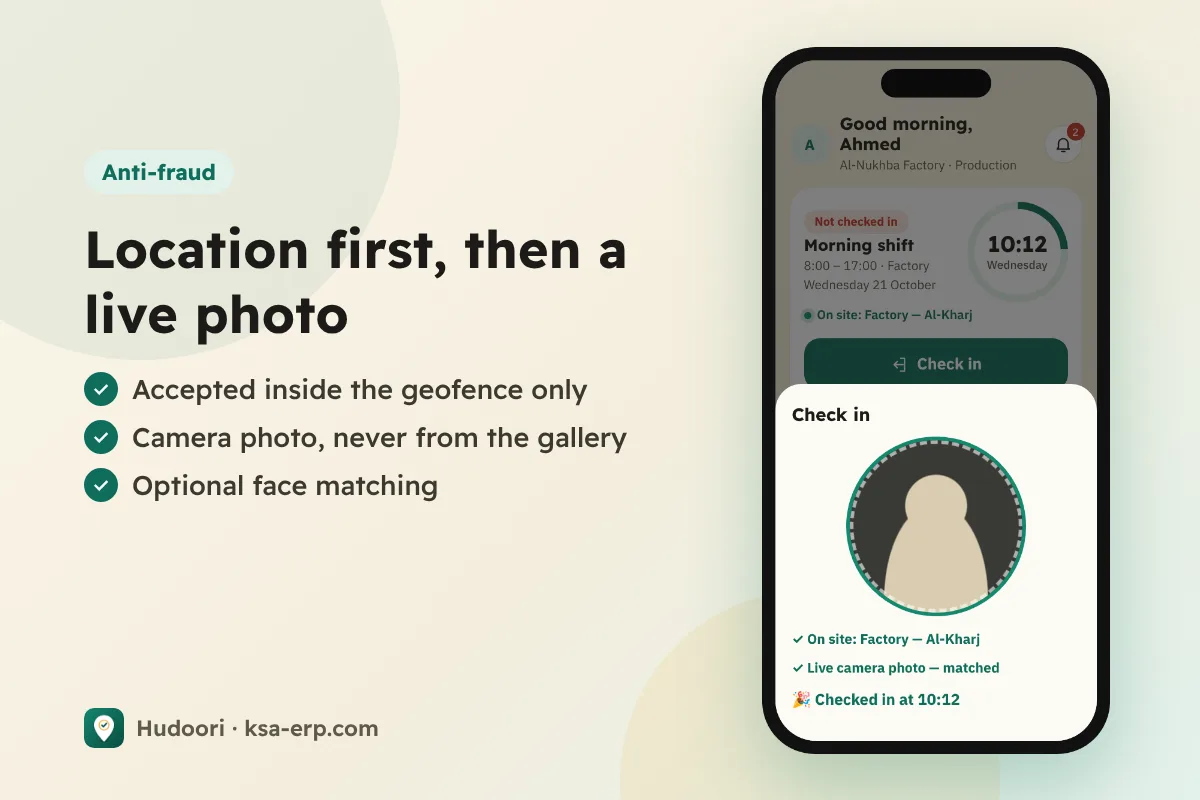
- Geofence: no check-in outside the site.
- Live camera selfie: no gallery photos.
- Face matching and liveness (optional): compared with a reference photo plus a head turn, with doubtful cases sent to the manager.
Details are in geofence and selfie attendance.
Hygiene and employee experience
Many people now dislike touching a shared device used by dozens daily. On industrial sites, dirty or injured fingers often fail to scan, creating morning queues and lateness that isn't the employee's fault.
Mobile check-in takes seconds with no queue. It improves further when the app speaks the employee's language and shows their shift, leave balance, and requests.
To be fair, some employees have no smartphone or prefer not to use a personal one. Handle that through conversation, and sometimes a few work phones.
When a fingerprint device still makes sense
- A single small office where everyone works inside.
- An existing device that works well and already feeds payroll.
- Workplaces where phones are not allowed on the floor.
Otherwise, especially with multiple sites, mobile is the practical choice.
How Hudoori approaches it
Hudoori is built on "no fingerprint devices, no wiring." Employees check in from the Android app or phone browser, inside the geofence, with a live selfie and optional strict verification. Managers see who is in, late, or absent right now.
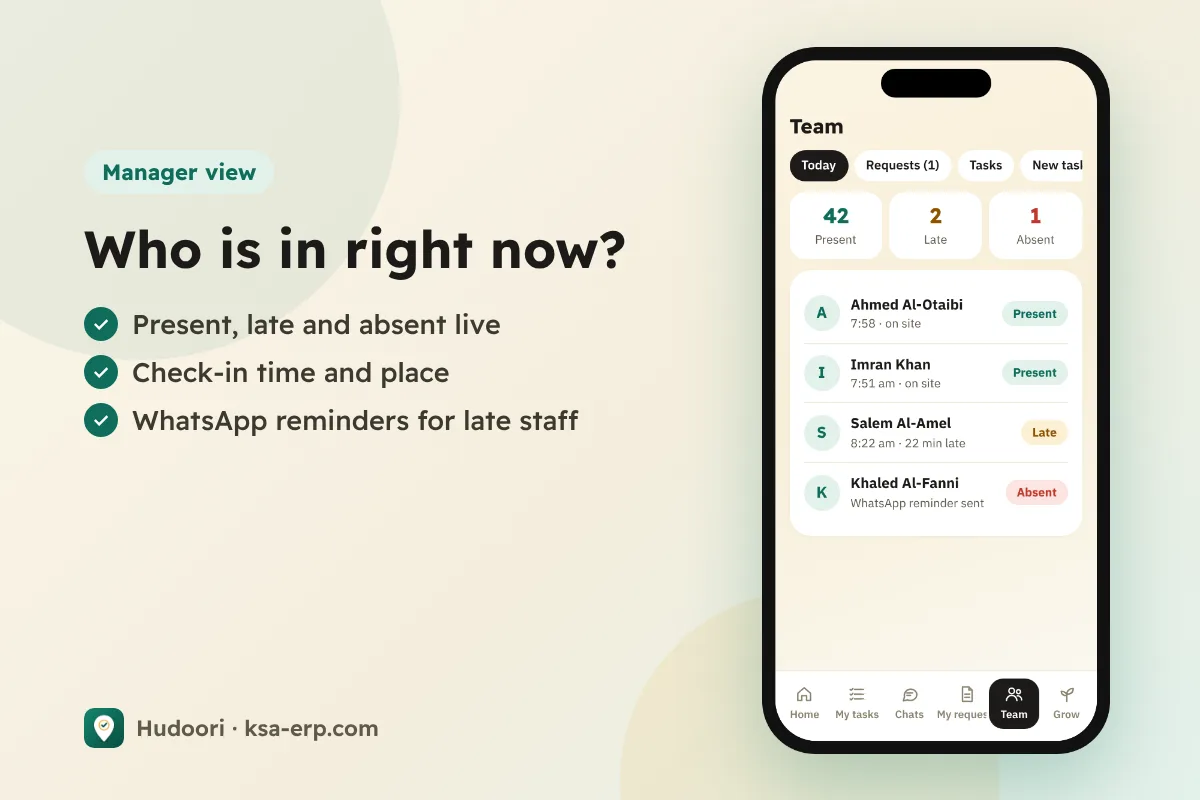
Lateness and absence are calculated from shifts and flow into payroll with no manual downloads. If you are comparing vendors, use the checklist in how to choose attendance software.
Frequently asked questions
Is mobile attendance valid proof of attendance?
It is an electronic record with time, location, and photo, clearer than a manual log. For regulatory details, refer to HRSD and your approved work regulations.
Can I combine devices and phones?
Possible, but it complicates reports. Pick one method per employee group.
What if an employee's phone breaks?
They can sign in from another phone's browser; location and selfie checks still apply.
Conclusion
Fingerprint devices suit a single office; mobile attendance suits a business that grows and moves. Compare total cost, and make sure any solution protects you with location and selfie, not just a button. To test it with your team, request a free trial of Hudoori.